

Authentication
Production
To get authenticated, you will first have to retrieve your API key from the Mamo dashboard. You can do so by clicking here
Alternatively
- log into your dashboard
- navigate to the developer page
- copy your API key
Now that you have your API key, test it:
curl --location 'https://business.mamopay.com/manage_api/v1/me' \
  --header 'Authorization: Bearer <your_api_key>'
Sandbox
How you get a sandbox account depends on whether your business is verified. Both paths are listed here so you know which applies to you:
- Not yet verified — sandbox access is provisioned manually, for security. Request it via live chat or by emailing [email protected] and the team will set it up for you.
- Already verified — self-serve. Go to your dashboard's Developer page and click Get sandbox access; your sandbox API keys are available immediately under Developer → API Keys.
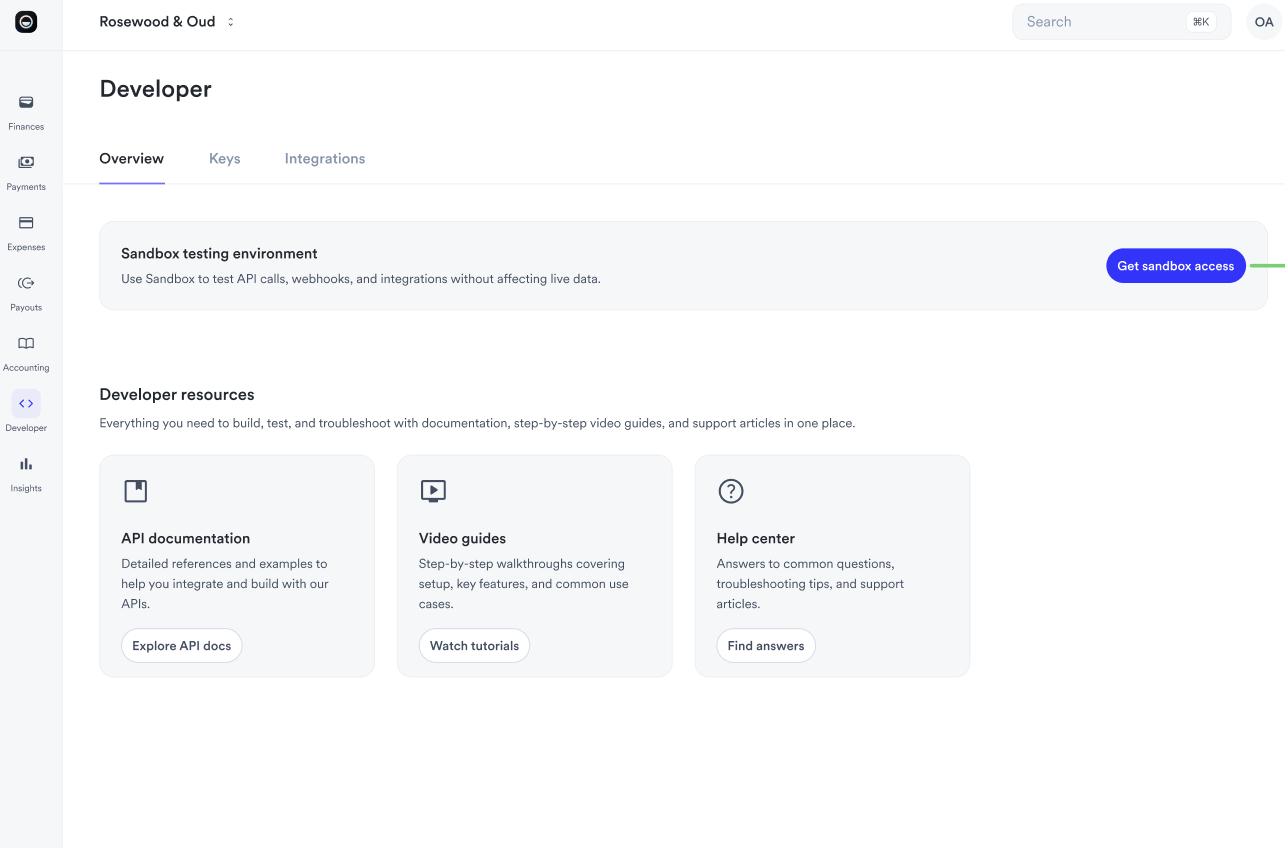
Sandbox requests go to https://sandbox.dev.business.mamopay.com/manage_api/v1 and use your sandbox API key. The sandbox dashboard looks identical to the live one — check the address bar for sandbox.dev.business.mamopay.com to confirm which environment you're in.
Test cards
To test payments in the sandbox, use the cards in Sandbox Testing → Test cards. They cover successful and failed payments, with and without 3DS. See Sandbox Testing for the full pre-launch checklist (webhooks, settlement timing, idempotency).
Next steps
- Concepts: the object model — recipients, rolling reserves, settlement vs. payout
- Commercial FAQ for Developers: rolling reserves, card fees, refund fee handling, hold-period limits
- Sandbox Testing: test cards, webhook registration, and settlement-timing differences
- Pagination: fetching every page of a list
- Errors: error codes and how to handle them
- Rate limits: request limits and retrying
Updated about 2 hours ago